angelapleasant: (Default)
here's a bunch of stuff i've had finished or mostly for months lmfao
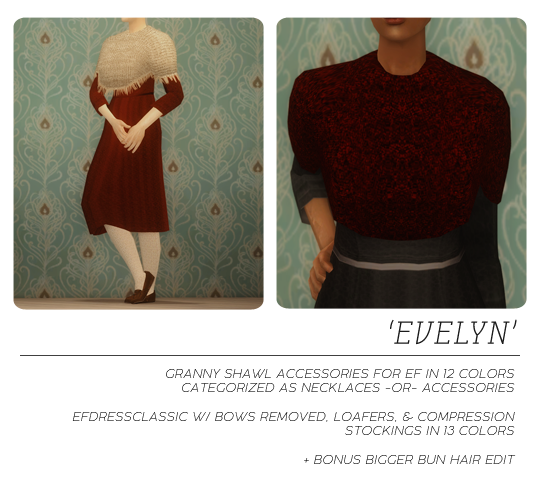
 

edit of the EF classic dress to remove the bow, shoeswapped to add some loafers by trapping and stockings from io iirc, and using nilou's retexture. i did some recolors of my own too.

pulled the shawl off of bayoubashsims' granny shawls (mesh by skell) and made it into an accessory. it does NOT morph with the body because it's an accessory but the front is pulled out far enough that it will work for fat sims too. i was having some clipping issues on fat sims until i redid the bones HOWEVER i am not sure if that fixed it, or the fact that i use a mod to make the elders walk without hunching (linked here). it's beyond my skill to make it move with the body anymore than it already does lol. added my own recolors and included some psds. you can have this either as an accessory OR jewelry (necklace) but not both so only pick one version.
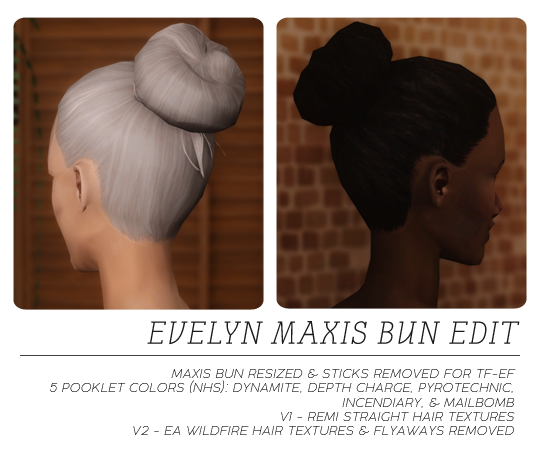

i also edited the maxis bun to be bigger and pulled the sticks off it. i know evelyn's bun is bigger in sdv but i wanted this to be usable for others too haha. i honestly don't remember since it's been finished for a while but i think the straight version is simgaroop's retexture using remi's, and i blended the ea wildfire texture for v2 from this hair by sophie. for TF-EF. colors by pooklet (nhs).
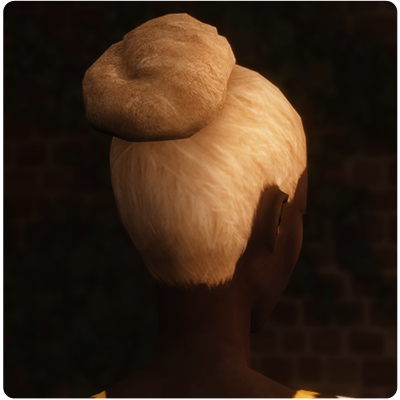

v2 close up

CREDITS: DROPBOX // SFS
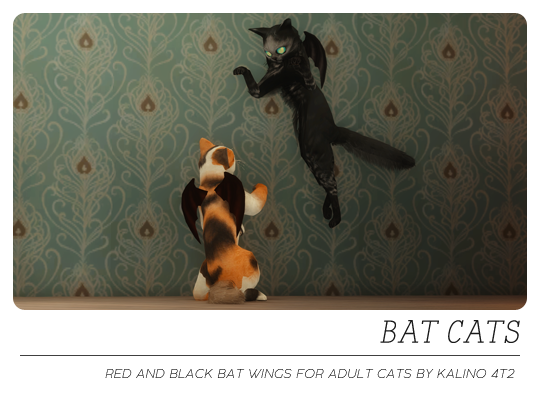


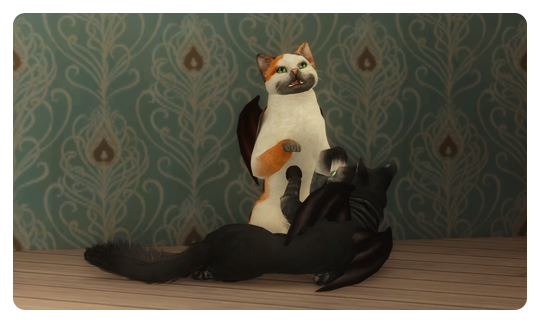
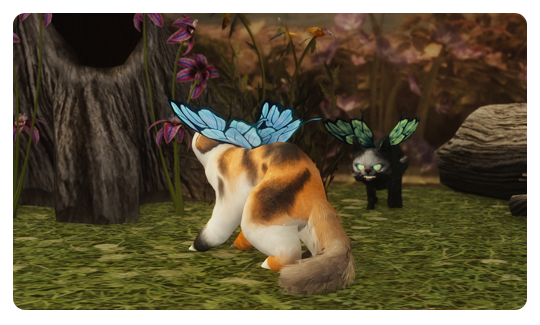
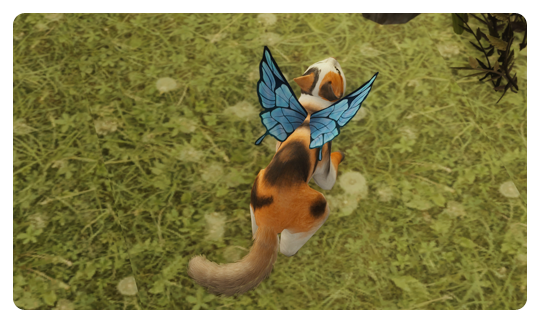
some bat wings as cat collars. these are by kalino. i only did 2 colors. they were supposed to be for simblreen but lol

CREDITS: 
kalino
 
DROPBOX // SFS


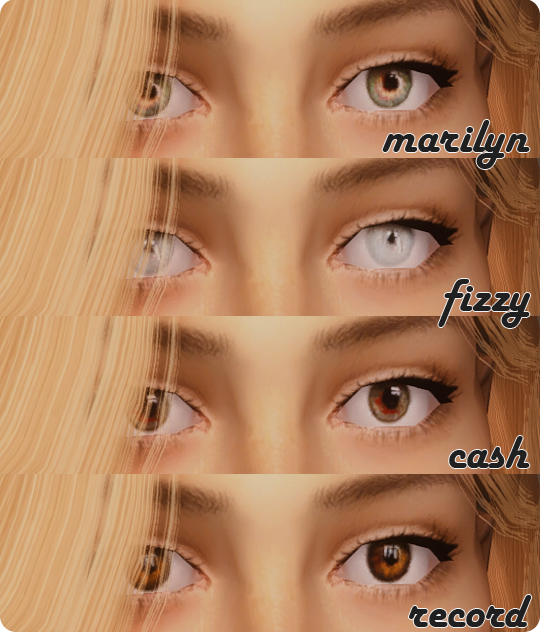
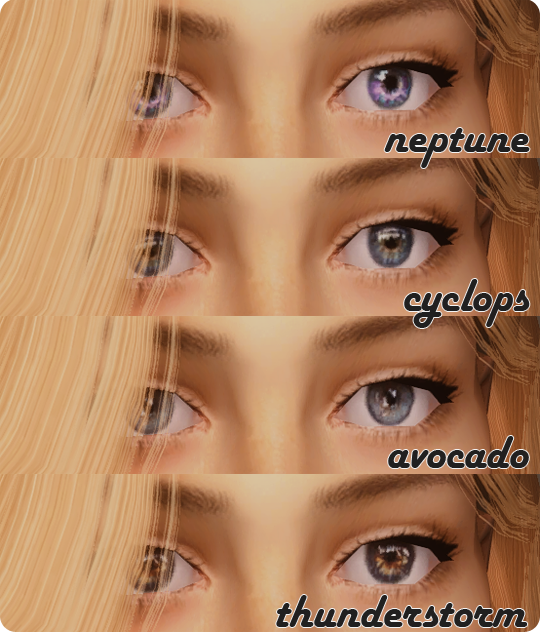
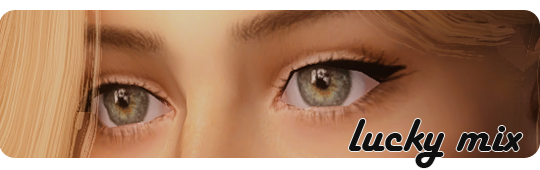
here's a MASSIVE set of eye rescleras. the full 49 eye mouseyblue lucky mix set with the same alfredaskew sclera i always use AND the atomic recolors i stumbled upon by alfredaskew at tbto (8 eye textures x like 30~ recolors each). they had already edited that sclera to be more animation friendly but i put the same one i always use on them for uniformity + i like it lol. there are like 300 eyes here!!

all eyes are geneticized (aa's were already done but i edited some values) and supernatural looking colors are super recessive. i didn't townify these as is my preference recently (no one is allowed to walk around looking cool without my permission lmao)

as usual, these eyes use the original package files so you CANNOT have both. i edited the file names slightly to add an ap_ prefix and remove special characters, so make sure to delete the originals if you already have them and would rather use these. no defaults included because the lucky mix set uses all different textures.

swatches for all 9 sets included, original lucky mix swatch stolen from mouseyblue.

CREDITS: DROPBOX // SFS

does anybody else miss tbto? i wouldn't have been able to participate back in the day but i wish we had something like it now.

also i made a discord server to post wips, updates, maybe dls i haven't had time to write the dl post for yet if anyone wants to join: here

angelapleasant: (Default)
 
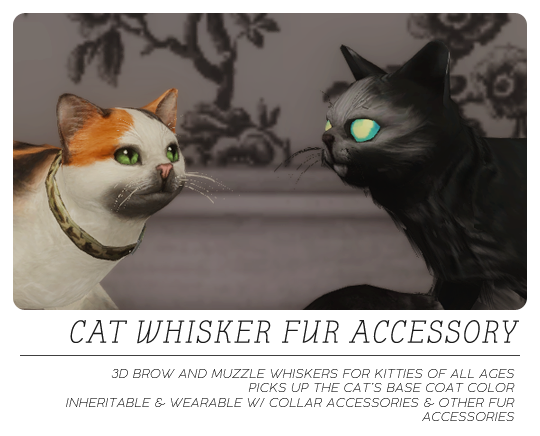
after MUCH trial and error, we FINALLY have 3D cat whiskers that are wearable with collars for ts2! this wouldn't have been possible without kitteninthewindow guiding me the entire time and looking in the packages when they weren't working!!! and because she shared the very easy tutorial with some resources after we got the adults/ elders working, they work for kittens too! these use subtype-bin BxE from kitw's chart in her tutorial, so they are compatible with everything on there.

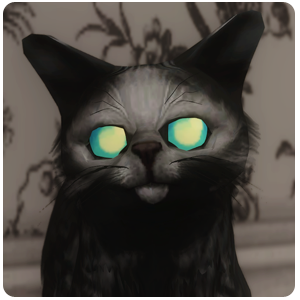
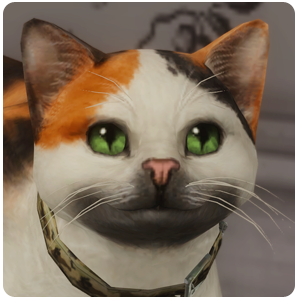
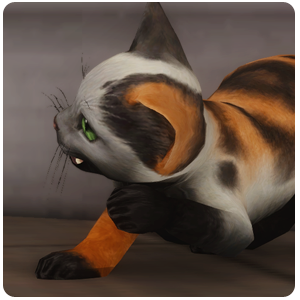
these whiskers are repositoried to the base coat color, so they will be whatever color your cat base coat is. the mesh is from lazyduchess' ts3 edits. jacky93 made a collar version of these whiskers previously, which is where i got the idea. i reconverted ld's whiskers with the brows as well, remapped them to kitw's accfurcards2018 file (included, make sure you keep this file in your DL or the whiskers won't show up!), and here we are! they move with the face (this was our big hurdle after getting everything else working, lol) and can be worn by any cat preset. they will warp slightly on some (the smushy kitties will get slightly messy whiskers) but it isn't too bad from what i've seen! the black cat in the previews uses a smush face preset. these are with the other fur accessories in the top option of tab 4 (i think that's where the fur acc are lol).

kittens will be born with them if their parents had them!

maxis breed default replacements with added whiskers are linked below, so strays can generate with them! these must be placed in the Documents > EA Games > The Sims 2 Ultimate Collection (or whichever version you have) > PetBreeds (NOT the downloads folder) and let them OVERWRITE. Make a backup of this folder first in case you want to remove the whisker accessory. you can open up the package for any custom breed you have and add the whiskers to the AGE DATA as explained below if you want to!


*****if you want to add the whiskers to cats who already exist, kitteninthewindow sent me these instructions for simPE:*****

(my note: make a backup of your neighborhood folder first, in case you make a mistake)

Oh btw, the way to add whiskers to already existing cats and breeds is to open up their Age Data and change 2 things. The first is to add a line that says pbd# (dtstring) = f6a899ba-427e-4328-55c6-7a8bf58bb5e3 (my note: this is the family dstring from the xmol in the packages)

(my note: to get to the aged data, open simpe, then go to the topbar and select tools > neighborhood > neighborhood browser. select your neighborhood and let it load up. then go to tools > neighborhood > sim browser and select the cat you want to add the whiskers to from the list and click open. in the pluginview of the sim description you just opened, click the icon that looks like a blue cabinet with files in it that says "more" and select open character file. in the resource tree on the right you should see Age Data (AGED). click on that and do the following in the plugin view! click commit after changes and make sure to click file > save or ctrl + s at the end)

The # will be different for each individual cat just depending on how many fur accessories they already have. pbd0 if they have none, but if they already have pbd's listed in the age data just +1 to the highest pbd.

Next, find a line that says numpbd (dtUInteger) and +1 to whatever it already says. This tells the game how many fur accessories the pet or breed is wearing

numpbds and pbds are usually near the bottom of the list, probably around 4th from the bottom, so they should be easy-ish to locate

i will make a video tutorial asap, but i wanted to get these shared! don't be scared of simpe! make backups before editing any files and if you mess something up just replace with your backup.

here's the video tutorial showing how to add the whiskers to custom pet breeds so strays using them will have whiskers, and to already existing pets in your neighborhoods! sorry for the poor sound idk what was going on with the mic, also i dropped something while recording lol. and since i did this on the fly there is a lot of pausing and "ummmmm" haha. here's the string you need to be pasting (same as the written instructions of course): f6a899ba-427e-4328-55c6-7a8bf58bb5e3

the family string for the new white only whiskers for use with the simpe tutorial is dab4deb2-412d-583b-6b0e-44843b72e813

back up your breed files and your neighborhoods before editing! 

fyi you can follow the tutorial for existing pets up to the simbrowser part, then just write down the character file names for the cats (they are listed in the simbrowser on the right, something like N001_User00023-- the first 4 will be your neighborhood code), and close out of the neighborhood in simpe. then you can just navigate to your neighborhoods > NHOOD NAME CODE (ex. N001) > characters folder and open the files directly from there. way easier if you have a lot of cats to add whiskers to!
UPDATE 7.19.24: fixed a visual glitch where there was a little floating tuft of fur under the belly. links have been updated and you can just replace the file with the new one. MAKE SURE you delete your accessory and groups cache files as well as the content registry file in your ts2 documents folder so the game recognizes the update! unfortunately if you already had these on a pet and you loaded a lot with the pet, you will probably have to go to a mirror and edit the appearance (i just put a collar on, or take one off if they had one), save the lot, leave it, and reenter it for the pet to update its appearance. i'm not sure if just playing for a while will update it, but this is the way i know to update it.

really sorry i didn't catch it before i shared bc of how sticky pet stuff is!

UPDATE 10.31.24: added a white whisker only version for belladovah, who requested it since almost all cats just have white whiskers. it isn't possible to make a non-slaved fur accessory (you have to make a separate recolor for every single coat color), so this one just doesn't pick up any color and defaults to white. technically you can have this and slaved version in your game at the same time, but they can be applied at the same time and idk what kind off visual glitch effects it will have other than the slaved version overwriting the white if you have a kitten born with both sets of whiskers for example, so i suggest choosing one or the other unless you really want both. i added the white whiskers petbreeds default below as well. the family string for the new white only whiskers for use with the simpe tutorial is dab4deb2-412d-583b-6b0e-44843b72e813
 
IF YOU'RE ALREADY USING THE SLAVED VERSION AND WANT TO SWITCH TO WHITE WHISKERS ONLY: you can just download this edit of the original file HERE and replace it in your dl folder. i just changed the subtype in it to 0 so that it can't pick up slaved color. it works exactly the same as the new white file, only your already made pets should update to white whiskers when the game updates their appearance (can be forced by deleting caches, content registry, and changing appearance in a mirror-- sometimes you have to save and reload the lot too). if you do this, don't download the white petbreed defaults, keep using the slaved defaults!


CREDITS
 
DOWNLOAD whisker fur accessory: DROPBOX // SFS
DOWNLOAD maxis cat breeds default w/ whiskers added (MUST BE PLACED IN PETBREEDS FOLDER): DROPBOX // SFS

DOWNLOAD whisker fur accessory WHITE ONLY: DROPBOX // SFS
DOWNLOAD maxis cat breeds default w/ WHITE ONLY whiskers added (MUST BE PLACED IN PETBREEDS FOLDER): DROPBOX // SFS


angelapleasant: (Default)


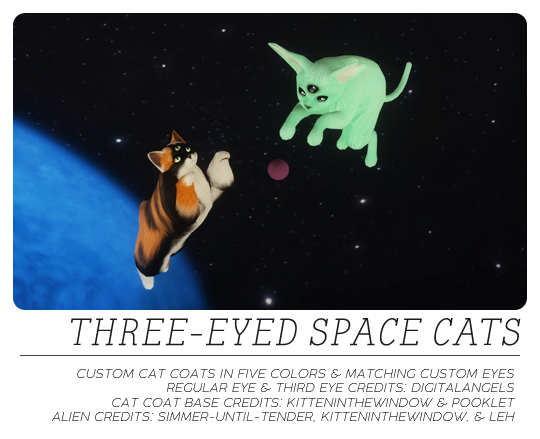
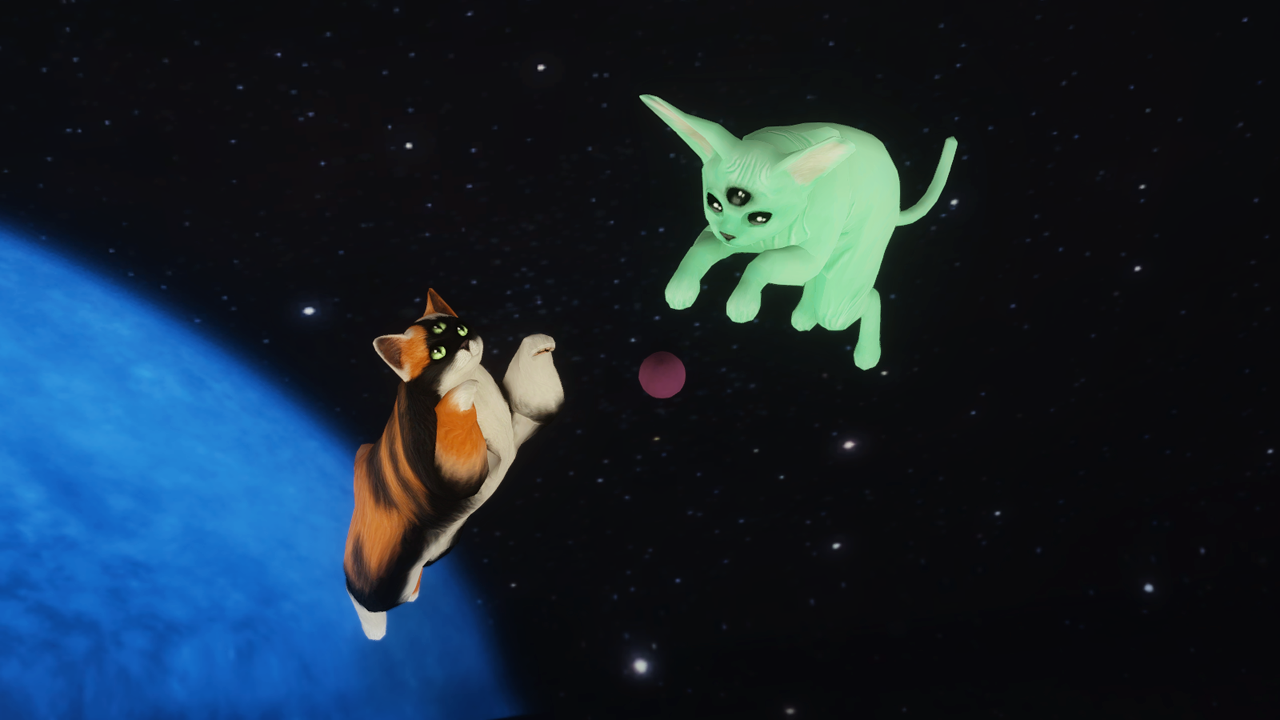
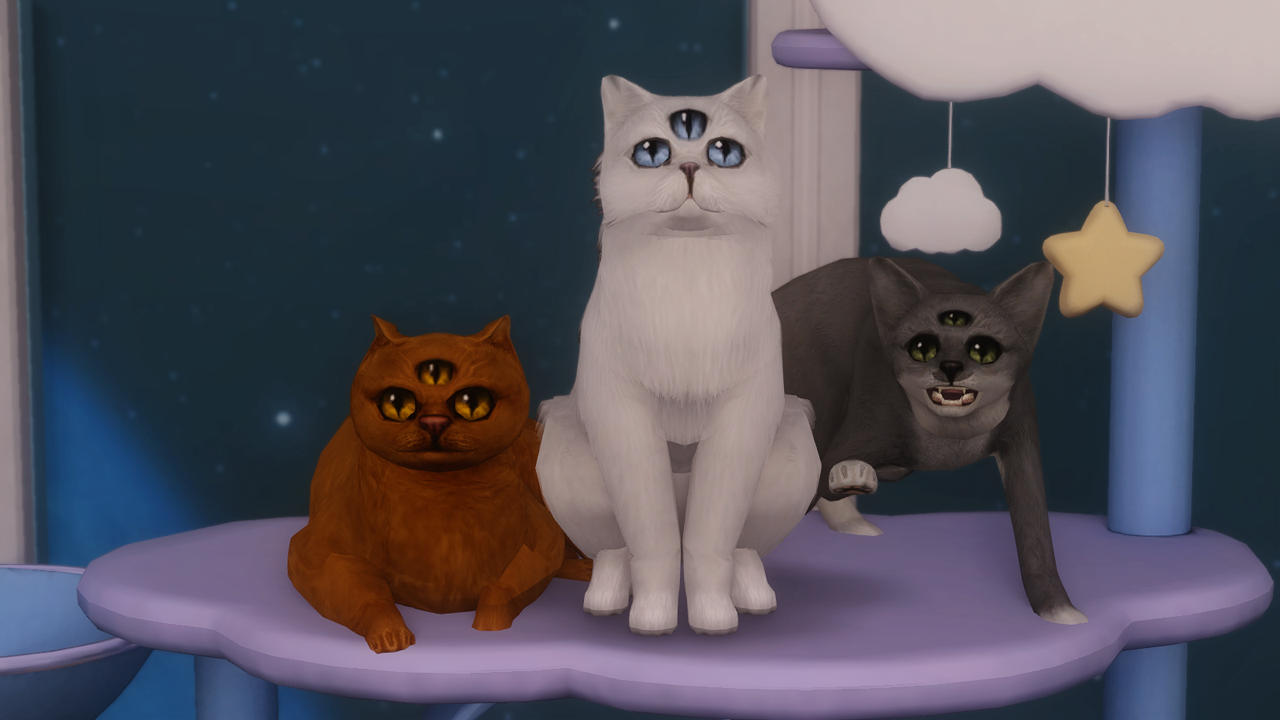
sorry for never paying dogs any attention! here are some 3rd eyes for your alien cats!

i tried to do them as an accessory, but they morph too much with the forehead (like jumping off the face lol). instead, these are custom COAT COLORS. they use four pooklet colors by kitteninthewindow as a base, and the eyes & eyelid detailing are by digi. the alien color is the kitteninthewindow sphynx skin recolored by simmer-until-tender, and the alien eye is by leh. they still morph a little depending on the cat type as you can see in the pics, but they work pretty will even like that imo. you can drag the pics for a larger view.

the colors are black with light green eyes, white with blue eyes, orange with amber eyes, and grey with darker green eyes, + the green alien and black eyes. each of the 5 coats comes with a matching custom eye set so all 3 eyes on your cat are the same. they work with all 3 coat types. there's also a custom marking in case you need to layer it on top of another marking.

i recommend using the coats as your base color and if you want to make something with forehead markings (like a tabby for example), you can also add the included marking as a top layer and apply the eye coat color to it as well.

for the alien skin, if you don't want the nose match the green face skin, i recommend kitw's nose & paw pads marking, also their alien antennae lol. here are digitalangels' pet default eyes i used in case anyone wants the full set. 

these pet slider expansions are good for making the alien eyes a little bigger.

let me know if something doesn't work lmao

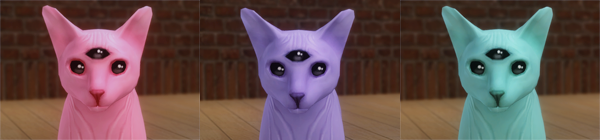
UPDATE 6.13.24: added 3 more alien colors from nyren's kosmik palette (pastel blue, pink, and purple). ALSO be sure to replace the green alien color because i edited it a little bit (made the nose a bit darker to look more like the other colors). links have been updated.


UPDATE 6.14.24: added the four alien hairless coats (green, blue, pink, and purple) without 3rd eyes for those who just want colorful sphynxes. separate download below! i also made a tutorial video for the simpe part of kitw's coat tutorial, if you want to make your own but are intimidated by the simpe editing. 

CREDITS
 
ALL THIRD EYE COATS & MATCHING EYES: DROPBOX // SFS
BLUE, GREEN, PURPLE, PINK SPHYNX COATS WITH NO THIRD EYES: DROPBOX // SFS


BONUS DIY KIT
 & PACKAGE

the process is actually pretty easy if you follow kitw's tutorial, but for those of you who just want to do an easy texture replacement, i created a bonus package so all you have to do is import your edited textures in simpe. i included some instructions on how the psd is set up for beginners, and the textures in the package file are labeled which fur part they are so they are easy to replace. kitw's volatile fur bases are included too. if you share your edited package, make sure you let people know it's my DIY package because you can only have one edit of the package in your game at a time.

DROPBOX // SFS
angelapleasant: (Default)


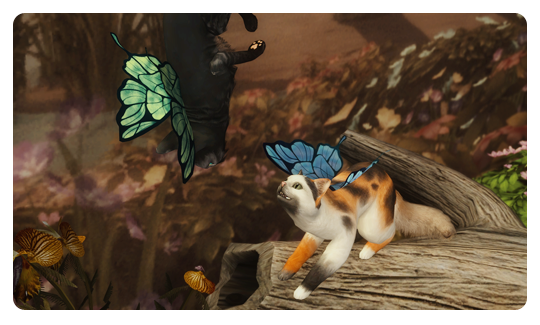
something for the gos theme! here are gryning's butterfly wings as cat collar accessories. you can easily recolor them by following this mts tutorial (but you will clone the blue wings recolor, not the collar package in the tutorial). they come in 5 colors (original blue, and green, pink, orange, and grey using furbyq actions).

i'm going to do a pet accessory tutorial video at some point, since it's actually a lot easier than it seems, but you have to understand a few separate tutorials to do it.
 
 
CREDITS


angelapleasant: (Default)
now for the REAL reason i learned to make accessories: so guardian can be in his final form!
but don't worry, the his little lantern isn't to lure you to your doom, it's to light your path out of the dark places.


you can recolor this following these instructions, but clone my "guardian" RECOLOR, not the mesh, instead of their package. i only made 2 colors (black with a white forehead end for guardian, and just plain black). also since i couldn't do 2 groups for this, the lure is only one so the whole thing "glows" via the tmxt. idk how the part that isn't supposed to be lit will look in lighter colors. i couldn't have made this without deedee's help!

you can get guardian and his eyes here! he is supposed to be kind of like a lykoi cat but with a big scraggly longhaired tail.

CREDITS
abufi


DROPBOX // SFS
angelapleasant: (Default)

 
first, some black and accent color recolors of deedee's 3t2 metal dress. swatches are included and they are all the same style (black dress, single color accent). meshes included.

next are recolors of honeywell's fall backdrop using some of my screenshots from mass effect, dragon age, skyrim, and ts4 i believe. mostly space and sky themed but the ts4 ones are of the magic realm portal. don't know how useful they will be to anyone but i thought i'd share. meshes for the fall backdrop and invisible deco recolor included. large swatches are included in the dl so you can delete whatever you don't want but here is a small preview.

last is an edit of veronichka's conversion of moo2shelly's balloon moon deco. i took the balloons off and added a couple of halloween color recolors. (just an fyi, all my object guids are randomized)
 
CREDITS


here is a whole set based on this creepy cat i had a dream about. he lives in the in-between spaces and protects you so i just called him guardian. he uses some cc by kitteninthewindow which is included (pet fur color & patterns) but i recommened getting all of their stuff.

 
he comes with a set of 10 "glowing" eyes based on mdpthatsme's glowing eyes (originally converted by tony-veis). they are custom and work for cats and dogs. 


you also get nonsensical-pixels' conversion of sim-man123's pumpkin pet bed resized for cats. i cloned this off of simwardrobe's one tile bed. obviously there will be clipping if a large animal uses it, nand there is a little bit of clipping when the cats go in and out, but I think it's cute.  

finally you get buck's cat. yes she is named after the alien. she is cute and i love her. she doesn't use any cc, not pictured with any defaults. just a basic formerly stray cat. lol.

CREDITS

mdpthatsme & tony-veis for the eyes
nonsensical-pixels, sim-man123, and paladin for the bed
kitteninthewindow for tons of pet content & custom eye tutorial
alfredaskew, furbyq, and pooklet for color actions


last we have some 4t2 makeup kits separated. i thought this would be good for storytelling purposes. 

the subtle serve kit and the jewelry stand were converted by neosimi. they are repo'd to neosimi's files OR a master texture file (clearly labeled neosimi). if you have their files for those objects, you can delete the master texture file. the only two objects that aren't repo'd are the storage case and the beauty blender, because i edited the textures. the jewelry stand pieces are straightened. some of the items like the blender also have a sideways/ knocked over version.

for the everyday makeup essentials and makeup magic, make sure you DON'T have nonsensical-pixels' (np_4t2_makinmakeupmagic and np_4t2_themakeupessentials) filesi have included resized versions of np_4t2_makinmakeupmagic and np_4t2_themakeupessentials to match the items i separated which are a little closer to the sim proportions of ts2. if you already have nonsensical-pixels' original versions of those items, let mine replace them because they will conflict! they are all repositoried to the nonsensical-pixels master texture (also edited) so make sure to keep it. i removed the items from the little seashell tray so you can put your own clutter in it. i also extracted 2 of the brushes from the brush holder as clutter, many objects have sideways/ knocked down versions, and i replaced the texture on the single eyeshadows so they would be different colors. the box is included as a completer because EVERYTHING is separated, but i didn't edit the textures on it, so there will be shadows across the front (place something in front of it if you use it). 

a collection file is included. it's the same collection file as my pearl's dream eyeshadow palettes because i keep them in the same collection. if you download(ed) those palettes, let this collection file overwrite the one that came with it!
 
i highly recommend fway's object freedom so you can shift them without omsps! 

(all my object guids are randomized)
 
CREDITS


profile

angelapleasant: (Default)
lissie

we are restless things